Manager
Choose a report
Find each project total, see who contributed, and review each person’s work and leave by day.
Before you start
Open Reports and choose the period. Results follow the worklogs your account can read in Jira.
0:23 · English narration with English and Portuguese captions.Download English captions
Application demonstration using fictional data.
Read the English transcript
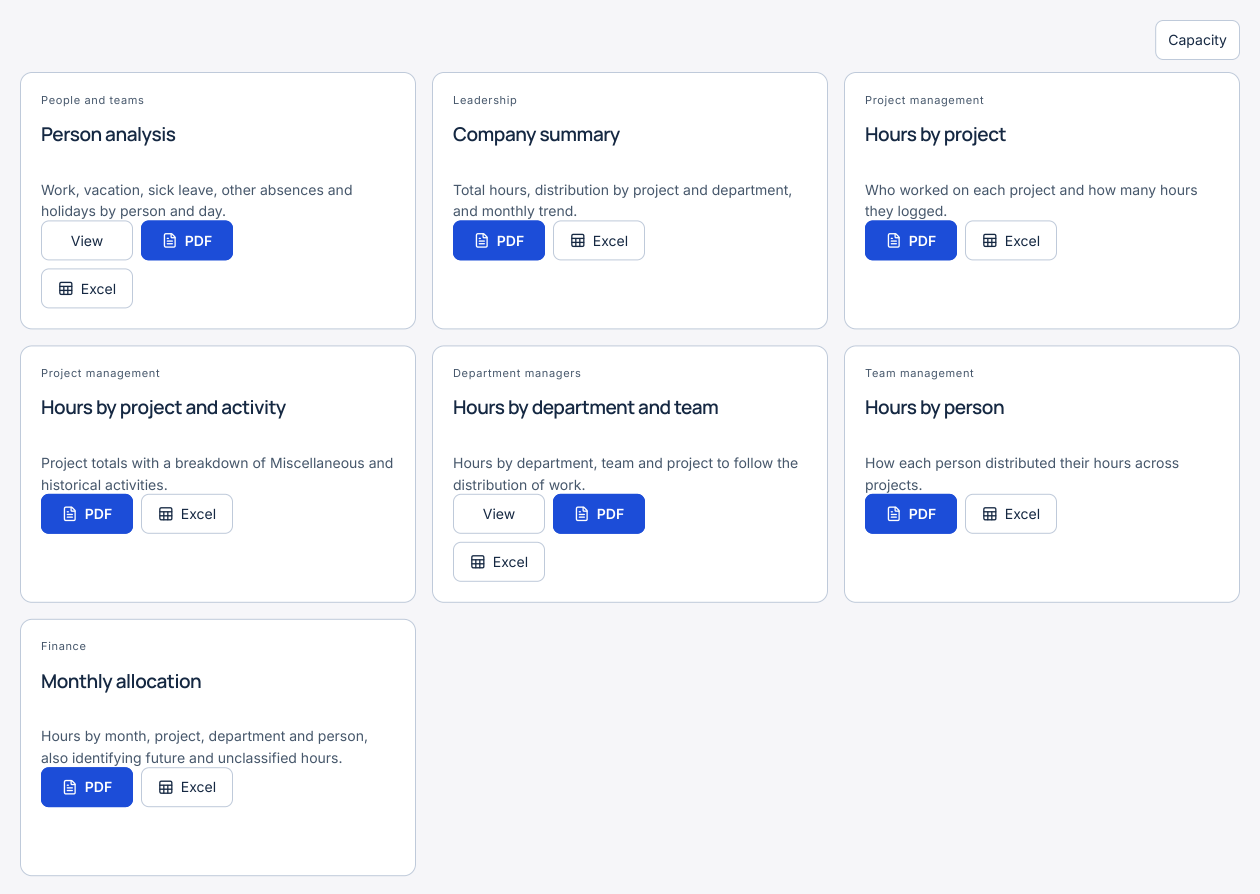
Open Reports and choose the period you need. Find Hours by project and select PDF or Excel. The report shows each project total and the hours contributed by each person.
For a daily breakdown of work, holidays and absences, open Person analysis. View lets you choose an accessible person.
The PDF and Excel shortcuts on this card export your own report.
Step by step
- To see who worked on a project, download Hours by project as PDF or Excel. Find the Project ID and compare each person’s contribution with the project total. Hours by person shows which projects each person worked on.
- Person analysis includes work, vacation, sick leave, other absences and public holidays. The PDF and Excel buttons on the card export your own analysis. To select an authorised colleague, choose View, select the person and dates, apply the filters and export from inside the analysis.
- Hours by project and activity breaks down Miscellaneous and historical activities. Company summary aggregates effort. Monthly allocation groups time by month, project, department and person.
- In Hours by department and team, choose View to explore the distribution by team and project. Open Analysis → Team timesheet to check individual days. Select Capacity in Reports to compare logged time and capacity for the period.
- Check the date range and coverage notices before using a file. The six standard reports use the selected period and accessible records. Report for this view, where available, uses that view’s filters. Report results and exports show the employee number when one has been configured.
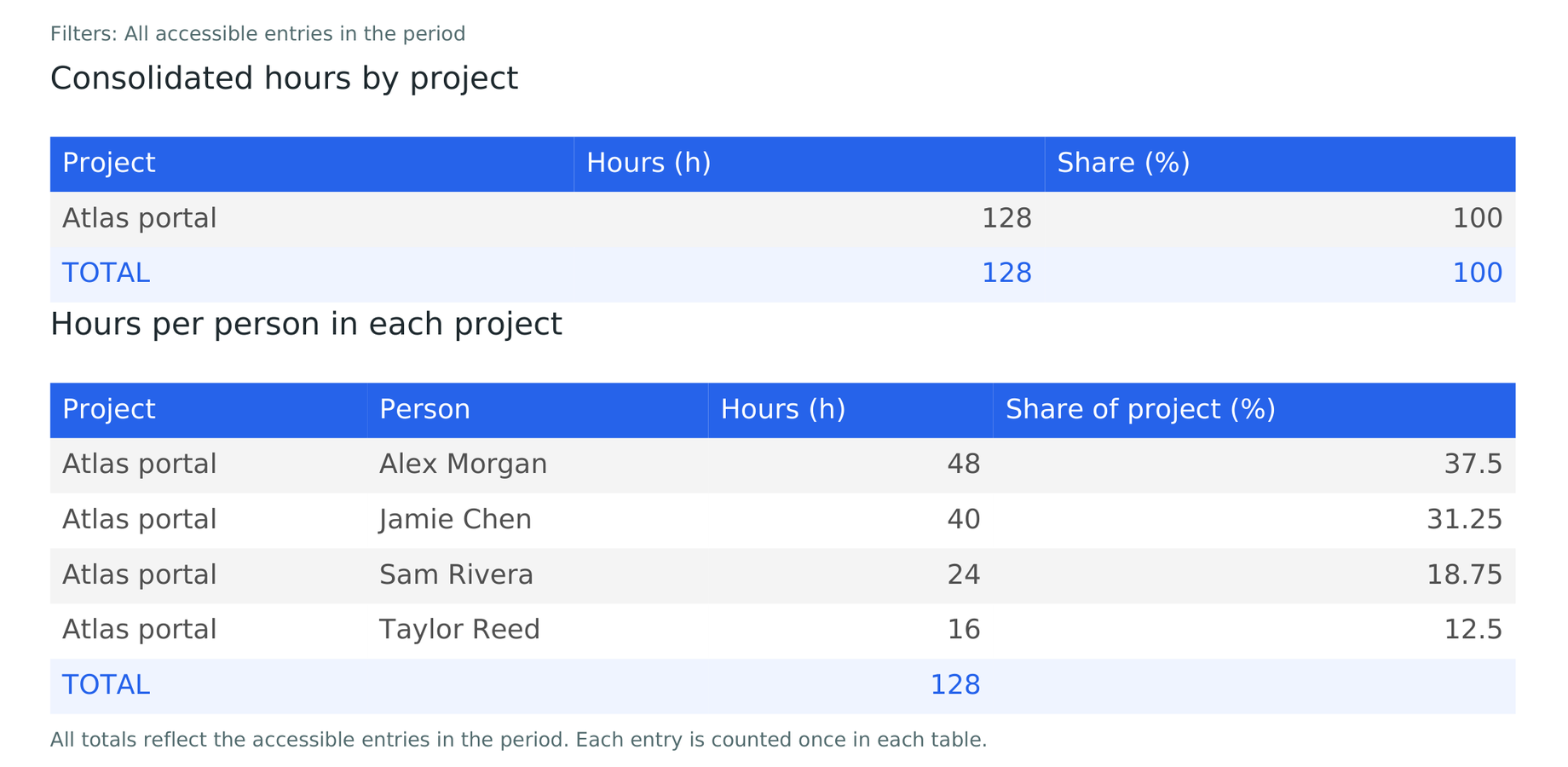
Sample project report
Atlas portal is a fictional project. Both files show the same 128-hour total and the contributions of four people.
See the example in Portuguese