Manager
Review a project and each person’s contribution
Compare time logged against a Project ID with its plan and identify the contributors.
Before you start
Choose the reporting period. Available people and rows depend on the configuration and Jira access of your account.
Step by step
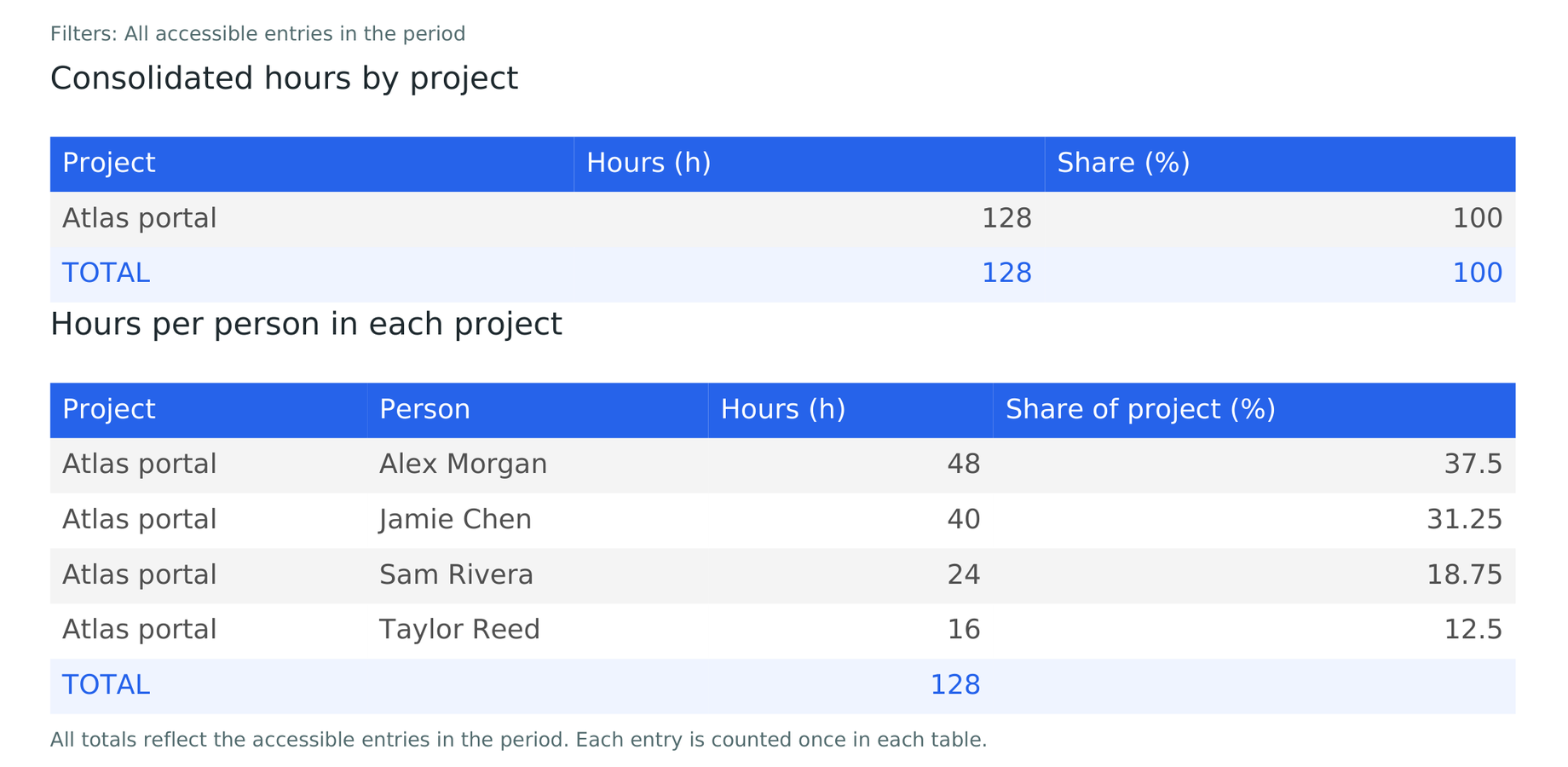
- Open Projects and select the Project ID. Review the hours logged, contributors and distribution of work.
- Check the issues containing entries. An entry logged directly against the project uses its general-time issue. An entry recorded on an issue or subtask stays on that item. Both roll up to the associated Project ID.
- To compare against the project hours plan, choose the entire period of that plan. The view flags future or unclassified worklogs and any partial query.
- Open Reports → Hours by project to obtain the project totals and breakdown by person as PDF or Excel. To export the filters in the open view, choose Report for this view.