User
Review your week by day or time
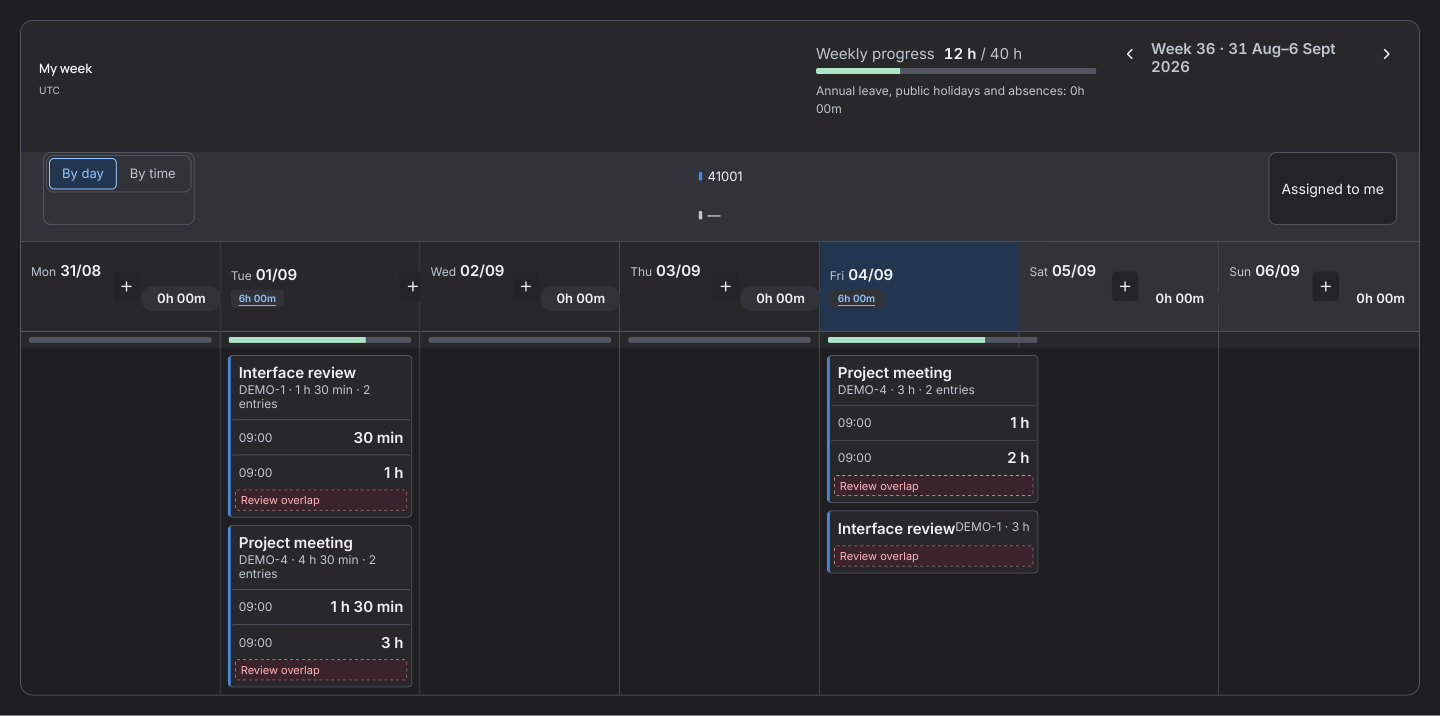
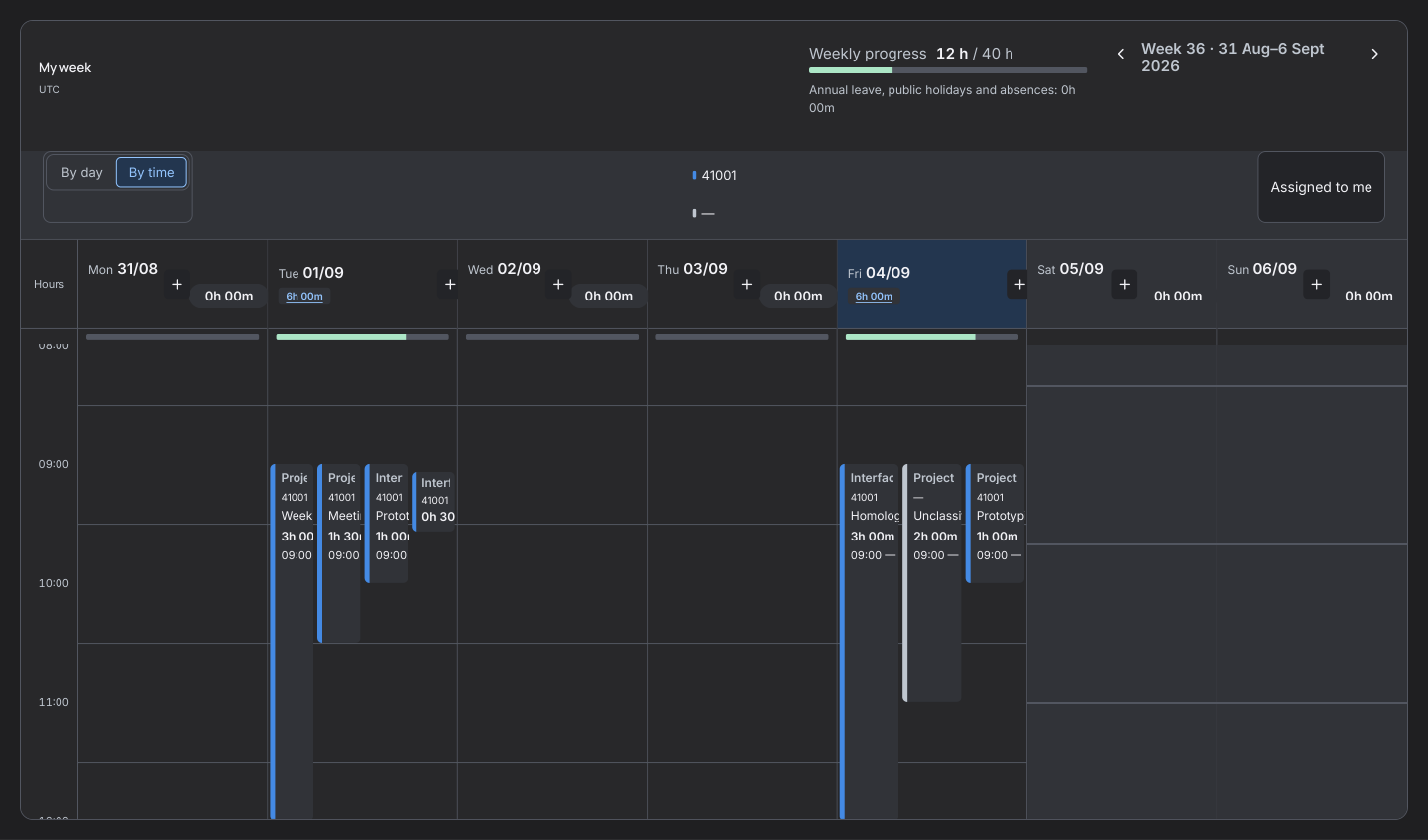
Switch between a daily list and a time-based agenda. Check the accounted hours for the week on screen.
Before you start
Open My Timesheet → Week. The week number and dates in the heading identify the period on screen.
Step by step
- Use the arrows to select the week. In By day, entries from the same issue are grouped. Open the group to review each worklog.
- Switch to By time to see each block at its start time and for its duration. Select a free slot to prepare an entry. Its start snaps to a 15-minute interval. Check the values before saving.
- You can drag a work item from Assigned to me onto a day, then review the form. Saving creates the worklog.
- Overlapping blocks identify the interval they share. Each end is inferred from the start and duration. A worklog that crosses midnight can appear on two days and retains a single duration in Jira.
- Check the progress for the displayed week. The daily hours chart hides confirmed rest days with no entries. A scheduled weekend shift or recorded weekend work remains visible.
- Under My Timesheet → Holidays and absences, choose Add period if you have an active profile. Select the type, dates and full day or hours per day.